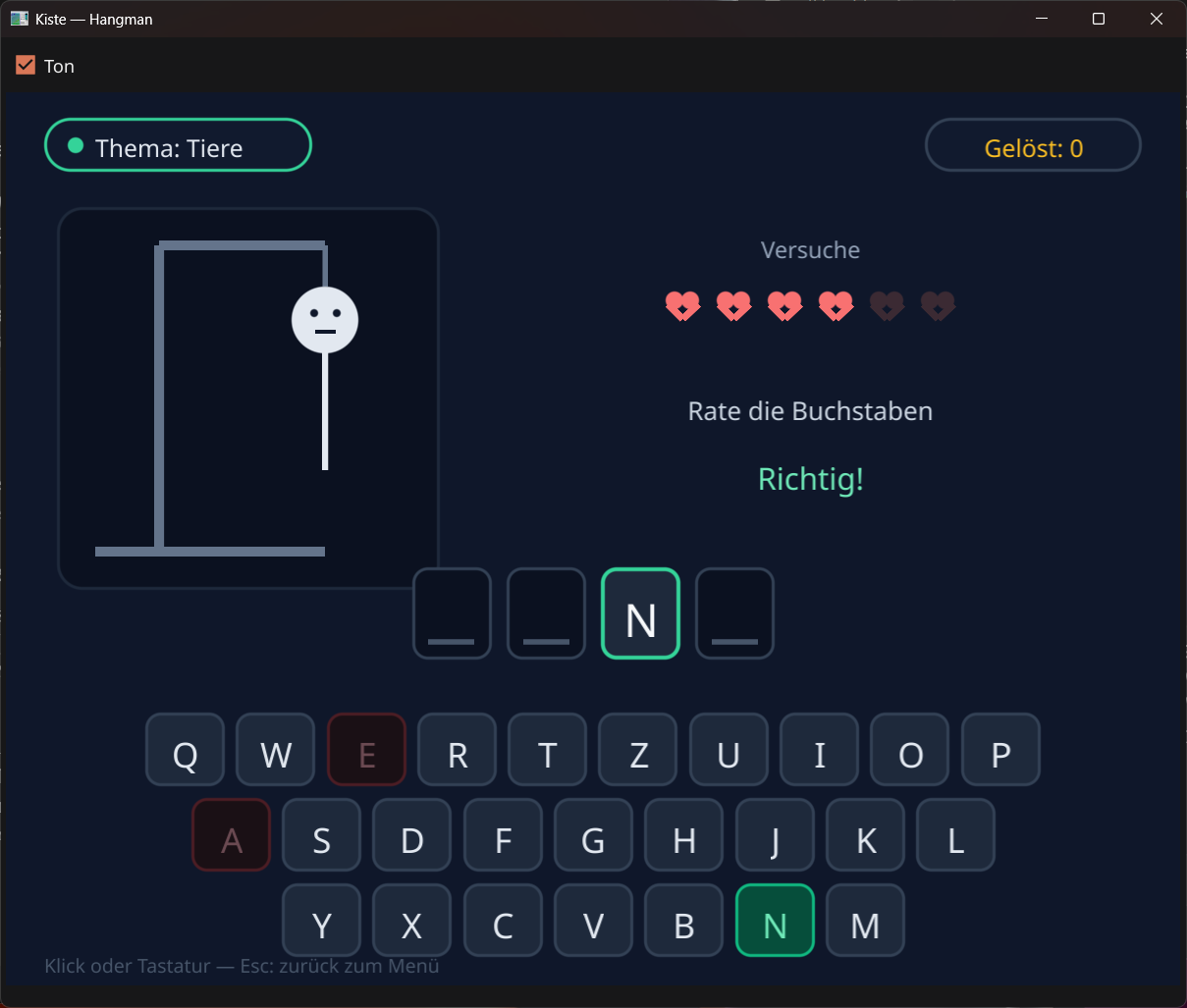
How it's built
Hangman is pure Kiste. It uses only the built-in modules gui (windows,
drawing, keys, mouse), klang, liste, zufall,
text and wert — no external game engine. Here are the most
interesting parts.
1 · Themes and a random word
The words sit in a nested list: five themes, 30 words each. One call to
zufall.ganz draws the next word — the letters are uppercase and free of
umlauts, so guessing on the 26-key keyboard stays unambiguous.
// Five themes as nested lists, 30 words each.
nimm themen = ["Tiere", "Länder", "Essen", "Sport", "Weltraum"]
nimm woerter = [
    ["HUND", "KATZE", "PFERD", "MAUS", "ELEFANT", ...],   // animals
    ["DEUTSCHLAND", "FRANKREICH", "ITALIEN", ...],        // countries
    ...
]

// A random word from the chosen theme.
funktion naechstes_wort() {
    wort = woerter[thema][zufall.ganz(0, 29)]
    geraten = ""
    fehler = 0
}
2 · Is the word solved?
geraten is simply a string that every guessed letter gets appended to. The
word is solved when every one of its letters appears in it —
wiederhole c in text.zeichen(wort) walks through it character by character.
// Are all the letters of the word already guessed?
funktion ist_geloest() {
    wiederhole c in text.zeichen(wort) {
        wenn nicht text.enthält(geraten, c) { gib falsch }
    }
    gib wahr
}
3 · One letter, three outcomes
Every guess ends one of three ways: correct (carry on), wrong (one more mistake), or the last missing letter arrives (you win). Six mistakes and it's over.
// A guessed letter: right, wrong — or the word is solved.
funktion rate_buchstabe(b) {
    wenn text.enthält(geraten, b) { gib }     // already used
    geraten = "{geraten}{b}"
    wenn text.enthält(wort, b) {
        wenn ist_geloest() {
            serie = serie + 1
            modus = 2                          // won → celebrate
            konfetti_start()
        }
    } sonst {
        fehler = fehler + 1
        wenn fehler >= 6 { modus = 3 }         // six mistakes → lost
    }
}
4 · The on-screen keyboard
Instead of real button widgets, the 26 letters are drawn onto the canvas — three rows in a QWERTZ layout. Each tile colours itself by its state, and on a click a small hit-test finds which tile was pressed. (The physical keyboard works too, of course.)
// Each letter tile knows for itself whether it was already guessed:
// green for a hit, dimmed red for a miss.
für c = 0 bis n - 1 {
    nimm b = text.zeichen_bei(zeile, c)
    nimm fuell = "#1e293b"
    wenn text.enthält(geraten, b) {
        wenn text.enthält(wort, b) { fuell = "#064e3b" }   // correct
        sonst { fuell = "#1a1015" }                        // wrong
    }
    gui.rechteck_rund(bild, x, y, KEY_W, KEY_H, 12, fuell, rand, 2)
    text_mitte(x + KEY_W div 2, y + 14, b, txt, 27)
}
5 · The gallows with a face
The gallows always stands; each mistake adds a body part — and the little figure's face
grows visibly more nervous, from a neutral line to a startled O. All from just
gui.kreis and gui.linie.
// Each mistake adds a body part — and the face grows more nervous.
wenn fehler >= 1 { gui.kreis(bild, kx, ky, 26, koerper) }        // head
wenn fehler >= 5 {
    gui.kreis(bild, kx, ky + 10, 5, "#0f172a")                   // mouth: big O
} sonstwenn fehler >= 3 {
    gui.linie(bild, kx - 8, ky + 12, kx + 8, ky + 8, "#0f172a", 3)  // worried line
}
wenn fehler >= 2 { gui.linie(bild, kx, ky + 26, kx, ky + 118, koerper, 5) }  // torso
6 · Confetti for the win
Solve the word and it rains confetti: 70 little rectangles, each with its own colour, speed and lifetime — the same "parallel lists" technique as the particles in Sternjäger. A timer moves them 60 times a second and redraws the scene.
// On a win it rains confetti: 70 colourful rectangles with gravity.
funktion konfetti_start() {
    für i = 0 bis 69 {
        liste.hänge_an(cf_x, zufall.ganz(120, BREITE - 120))
        liste.hänge_an(cf_y, zufall.ganz(-60, 100))
        liste.hänge_an(cf_vy, zufall.ganz(3, 8))          // falls downward
        liste.hänge_an(cf_col, KONFETTI[zufall.ganz(0, 5)])
        liste.hänge_an(cf_life, zufall.ganz(70, 150))
    }
}

// A timer drives the celebration and redraws 60 times per second.
nimm uhr = gui.bei_zeit(16, funktion(t) {
    wenn modus == 2 { konfetti_bewegen() }
    zeichne()
})
That's the whole recipe: a few lists, a string full of guessed letters, drawn tiles and a timer for the celebration. The full source is included in the download above — change the themes, add your own words, draw your own figure.