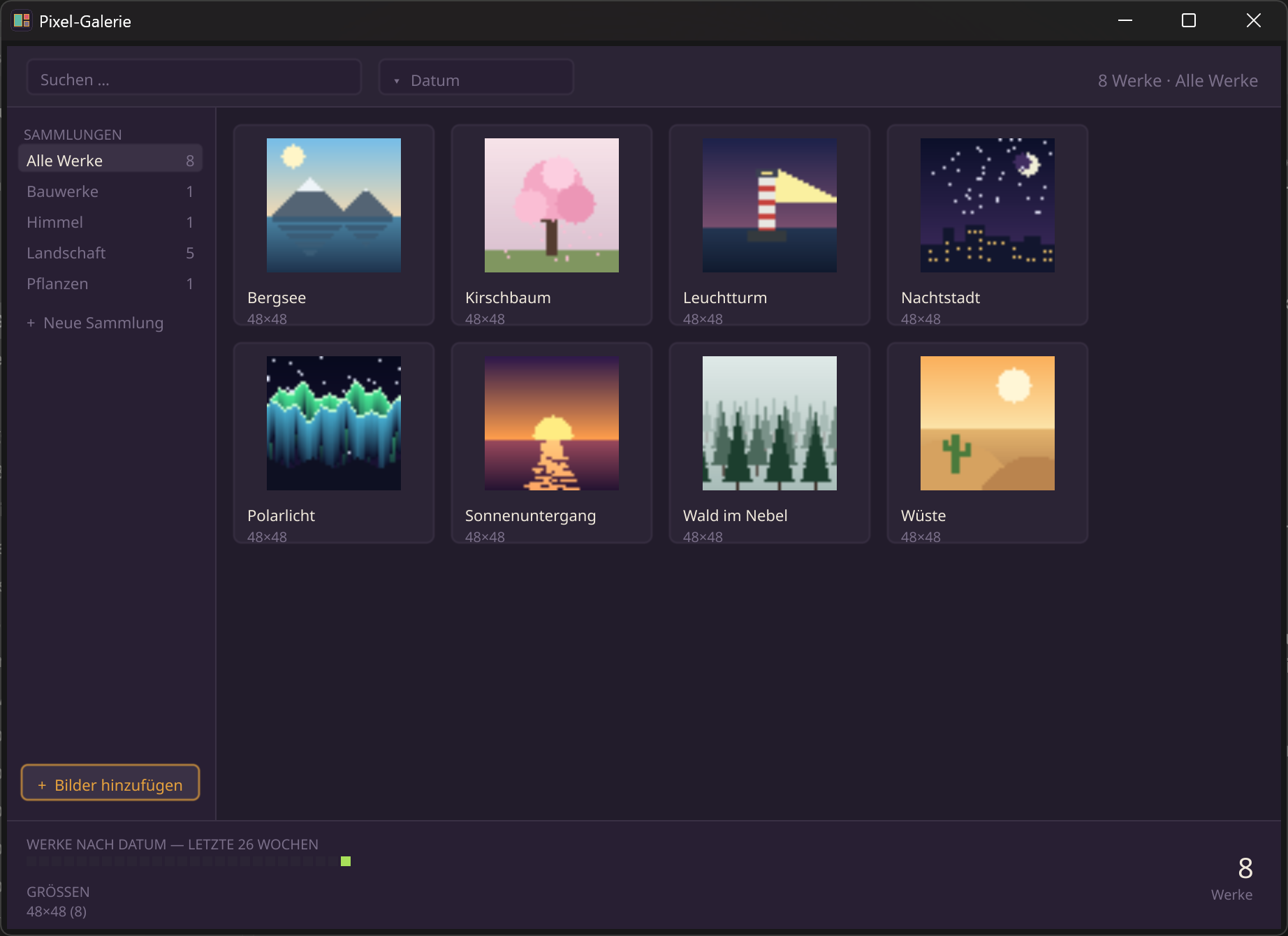
Why a gallery for KistePix?
KistePix is an editor, the gallery a catalog. The rule of thumb: an editor works on one thing at a time — open, paint, save; its data is the image files. A catalog asks questions across many things: "all landscapes, sorted by date". That's why the gallery has a real database and KistePix has none. Together they make a neat pair: paint in KistePix, send to the gallery with one click, collect there and export for game engines.
How it's built
The Pixel Gallery is a pure Kiste program. It uses db (SQLite — the library
with titles, collections and dates), bild (thumbnails and colour analysis),
gui (the whole interface on one elastic canvas), pack (ZIP
export), plus datei, pfad and json.
What's inside
- A real library: the gallery owns its works (taking in copies, deleting deletes) — in your user folder, so it's installable
- Collections to create, rename, delete; a work can live in several
- Live search as you type, sorting by name, date, size
- Works by date as a calendar heatmap and a size distribution
- Export: ZIP, sprite sheet (with Aseprite JSON), animated GIF and
colour palettes (
.gpland.kpal) - KistePix mailbox: finished works arrive via "Send to Gallery"
A catalog asks across everything
Searching, filtering and sorting aren't handwork — they're a database query. That's why live search stays instant even with many works.
// The gallery is a CATALOG: it asks questions across all works.
// Searching, filtering and sorting are a single SQL line —
// with a few hundred works, imperceptibly fast.
nimm werke = db.abfrage(d,
    "SELECT id, datei, titel, breite, höhe FROM werke " +
    "WHERE titel LIKE :q ORDER BY erstellt_unix DESC",
    {"q": "%" + suche + "%"})
The library owns its works
Taking in means copying — the gallery puts its own copy into the library and remembers it in the database. The original, wherever it lives, is not touched. Deleting removes the copy, not your image elsewhere.
// Taking in means COPYING: the gallery owns its works.
// The original somewhere on your PC is left untouched.
funktion nimm_auf(d, quelle, titel, sammlung, wann) {
    nimm name = freier_name(pfad.dateiname(quelle))
    datei.kopiere(quelle, werk_pfad(name))          // into the library
    nimm b = bild.lade(werk_pfad(name))
    db.ausführe(d, "INSERT INTO werke (datei, titel, breite, höhe, " +
        "erstellt_unix) VALUES (:d, :t, :b, :h, :u)",
        {"d": name, "t": titel, "b": bild.breite(b), "h": bild.höhe(b), "u": wann})
}
The mailbox to KistePix
The two programs share no state. KistePix drops an image plus a small note (the title) into a mailbox; the gallery picks it up at startup and moves it into its collection. Loosely coupled, robust — each program runs without the other too.
// KistePix drops finished works into the mailbox. The gallery picks
// them up at startup and MOVES them into the library — no shared
// state; each program also runs perfectly on its own.
funktion briefkasten_leeren(d) {
    wiederhole name in datei.einträge(briefkasten()) {
        wenn text.endet_mit(name, ".png") {
            nimm titel = text.beschnitten(datei.inhalt(zettel_zu(name)))
            nimm_auf(d, quelle, titel, "Ohne Sammlung", datei.geändert_unix(quelle))
            datei.lösche(quelle)          // moved, not copied → empty inbox
        }
    }
}
The Pixel Gallery shows the other side of Kiste: not one big tool, but an ecosystem — two programs that play together, each open in itself to read, change and build yourself.